← Blog · 2026-08-25 · 4 min read
sod: SSH Logins with Touch ID and the Secure Enclave
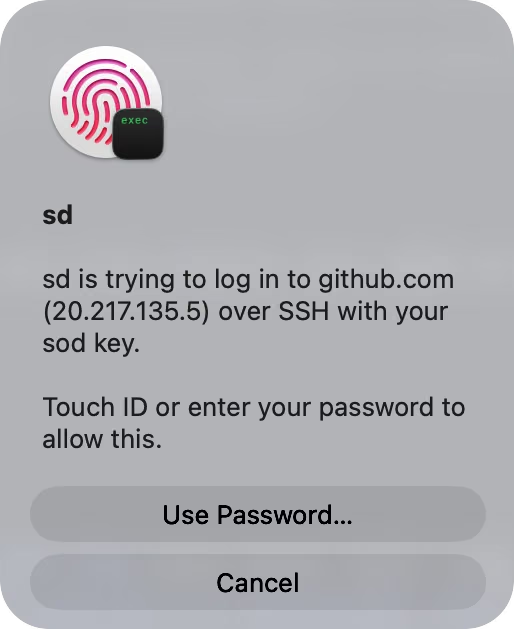
In our work, which often involves remote environments supplied by our clients, we put a strong emphasis on security by trying to avoid password sharing. Instead, we often use SSH keys. While enterprise solutions for managing SSH identities exist, we find them to be cumbersome — and we do not want to put our clients in the position of having to onboard a new IT tool for us.
A key, though, is ordinarily a file under ~/.ssh. A file can
be read by anything running as the user, included in a backup, or copied once and used
quietly forever. Passphrases help, right up until the key is unlocked into an agent that
will sign for whoever asks.
Every Mac we work on already ships with a better place to keep a key: the Secure Enclave, a separate processor whose whole design premise is that key material goes in and never comes out. sod is the small tool we wrote to put SSH keys there — a keygen and an ssh-agent, and deliberately nothing more.
What it is
sod generates a plain ecdsa-sha2-nistp256 key inside
the enclave. What lands on disk is an opaque, device-bound handle with no usable secret in
it — the private key cannot be exported, backed up, or stolen in any form that works
anywhere else. The agent serves that key to stock OpenSSH over the ordinary ssh-agent
protocol, and the enclave requires Touch ID (with passcode fallback) for every signature
it makes.
Two properties of that arrangement do most of the work.
The key cannot leave. Not “is encrypted at rest” — there is no exportable form. An attacker who reads the handle file, or the whole disk, has nothing that functions off this Mac.
Every signature requires presence. The tap is per-signature and enforced by the enclave, not by our code. Malware holding the agent socket can ask for signatures all day; each ask lights up a Touch ID sheet that a human has to answer.
Since the key is an ordinary P-256 key, the server side needs nothing: no
FIDO tokens, no sk- key support, no patched ssh. Any sshd from
the last decade accepts it.
How we use it
Setup, once per machine:
sd install      # creates ~/.ssh/id_sod, runs the agent at every login
sd doctor       # verifies the wiring: key, agent, socket, shell
sd install sets up a per-user LaunchAgent on a fixed socket
and prints the one SSH_AUTH_SOCK line to add to the shell startup file — it
suggests, rather than edits. After that the key is authorized on servers the usual
way:
ssh-copy-id -i ~/.ssh/id_sod.pub user@host
ssh user@host          # Touch ID on connect
And that’s the daily experience in its entirety: ssh as
always, plus a fingerprint. For machines where sod shouldn’t own every connection,
IdentityAgent ~/.ssh/sod-agent.sock in ~/.ssh/config routes only
chosen hosts through it, and any other agent keeps the rest.
What it isn’t
We should be clear that the idea is not novel — Secure-Enclave SSH agents
exist, as do hardware tokens that solve the same problem with a USB port. sod is our take
on the minimal version of it: a single binary with zero third-party dependencies, no GUI,
no daemon running as root, and the same command-line surface as the OpenSSH tools it
stands in for (sd ssh-keygen, sd ssh-agent,
sd ssh-add). It does not manage your other keys, sync anything, or touch your
GitHub account.
The one real trade-off is inherent: the key is bound to one machine’s enclave, so a new Mac means a new key. The key being unexportable is a security feature and not a bug in this case — we consider the Secure Enclave’s guarantee here to be paramount — but it is worth knowing before committing.
SSH login was the itch; signing turned out to be the more interesting scratch. How we use the same key to sign every commit and release we ship is the subject of the next post.
sod is MIT-licensed and lives at
github.com/botanica-consulting/sod
— brew install botanica-consulting/tap/sod, or a notarized .pkg
from the releases page.